 Digital Imaging and Communications in Medicine (DICOM) is the standard for the communication and management of medical imaging information and related data.
If you don’t have access to the following screens, please contact the Admin to ask for the appropriate access rights. Please contact bepatient team for any questions or to receive further information about DICOM Tool

DICOM software installation
Java software is required to use DICOM app: Java 8 – Update 291
- Link to Java 8 for Windows: https://www.java.com/fr/download/ie_manual.jsp
- Link to Java 8 for Mac OS: https://www.java.com/fr/download/
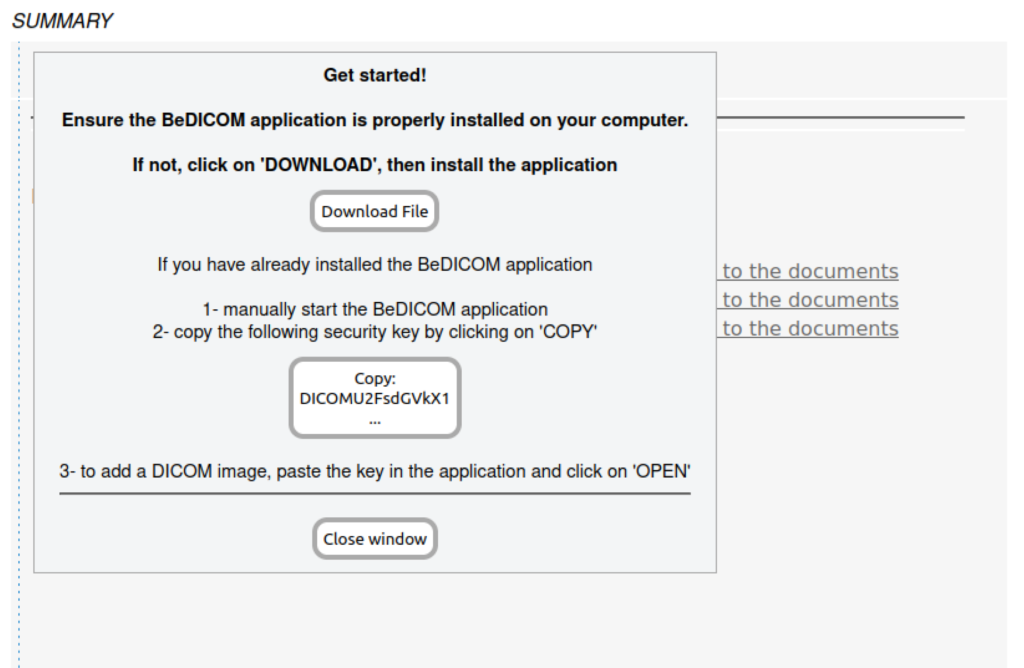
Therefore, DICOM app can be installed from your eCRF DICOM page. Download the DICOM app and install it the follow the path on your eCRF DICOM section.
Using DICOM
Launch beDICOM app from the computer. Copy the key link from your eCRF Dicom popup and paste it on the key field of beDICOM.

On beDICOM app you can :
– Download images from your computer using « LOCAL » button
– Upload to your eCRF using « Upload » button one or multiple image in the same time
– Change eCRF by paste the new key on the key field

You can select multiple images and click on upload to load it on your eCRF.