If you don’t have access to the following screens, please contact the Admin to ask for the appropriate access rights.
After data verification, a monitor can create a manual query associated to any field of the eCRF by clicking on the arrow aside the concerned field (as shown below) and select discrepancy note.
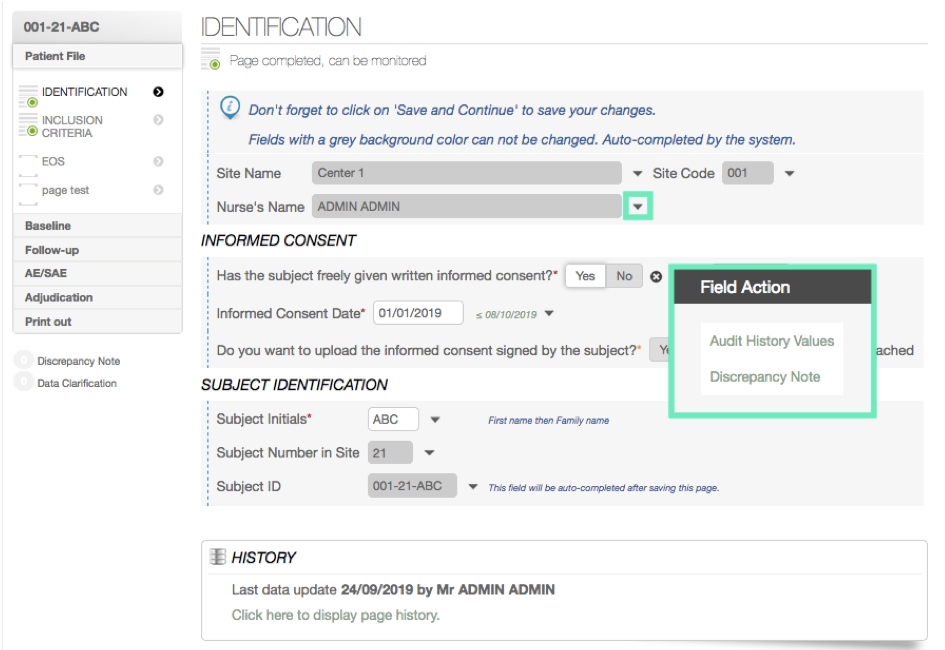
The monitor can enter his comment about the field and then validate it by signing and saving. A notification email can be sent to the author of the data field in order to ask him to verify the data and to answer to the query.
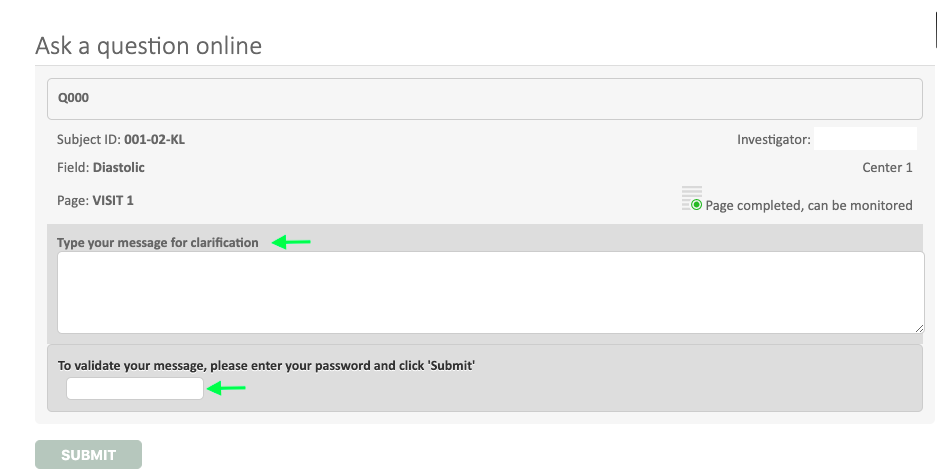
A specific ID will be attributed to the query whose history and status can be managed and follow in the Discrepancy note tool.
