If you don’t have access to the following screens, please contact the Admin to ask for the appropriate access rights.
User architecture in the eCRF tool is organized as followed:
Role>>>>> Profile>>>>>>User
The « Profile management » option allows the user to create, modify or delete the specific user profiles involved in the study (depending on user access rights).
User profiles are managed from the “Geographical area management” option in the Builder. To access to Builder, the user clicks on the « Admin » icon as indicated below.
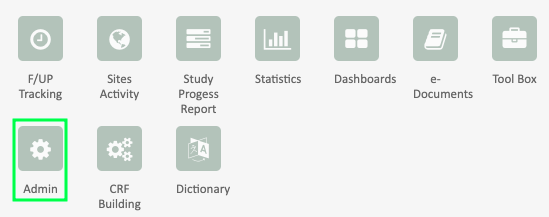
Then the user selects the Profile management option clicking as seen below.

In order to create a new user profile, the user clicks as indicated below in point 1.
The user profiles already created are indicated in blue. In black are indicated the number of existing users with each specific profile (see point 2 below).

The user has to fill the following information for profile creation:
- the name of the new profile to create
- the role related with this new profile
- the reference profile to duplicate (if relevant)

For user profile deletion, the user should have the specific access rights to do it. A profile can be deleted only if there is no user related to this profile.