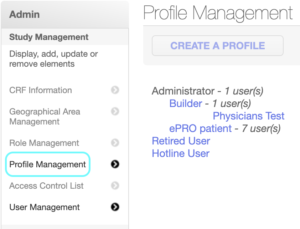
Step 1: Go to Profile Management from the left side of the admin box, it will load the Profile Management page
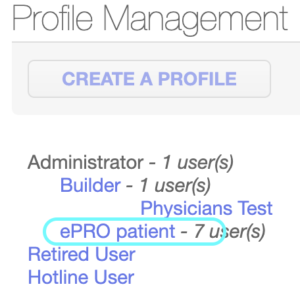
Step 2: Click on ePRO patient, it will load all the fields of patient
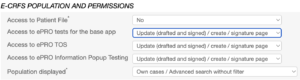
Step 3: Under E-CRFS POPULATION AND PERMISSIONS section, for Access to Patient File select “No” as patient is not allowed to access this category, for Population displayed select “Own cases / Advanced search without filter” as a patient is not allowed to see other patient information and for the rest of the categories select “Update (drafted and signed) / create / signature page”
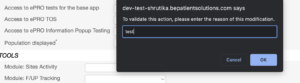
Step 4: Click on UPDATE button, one popup will show, enter the reason, it will show “Profile has been updated with success”