The Patient ID must first be configured in the eCRF. When the site is created, the eCRF contains 1 section, 1 page, 1 chapter and 1 text field called « Patient ID ». This field must always be on the first page of the eCRF, so do not try to move it. Doing so would cause the system to reject it and generate an error.
Depending on the patient ID format required by the customer, it may be necessary to create additional text fields for automatic patient ID generation. Here we describe the configuration of a classic patient ID format, including the ID of the centre where the patient is being followed (XXX) and the incremental number of inclusions made for that centre in the eCRF (YYY).
The patient ID would therefore have the format XXX-YYY.
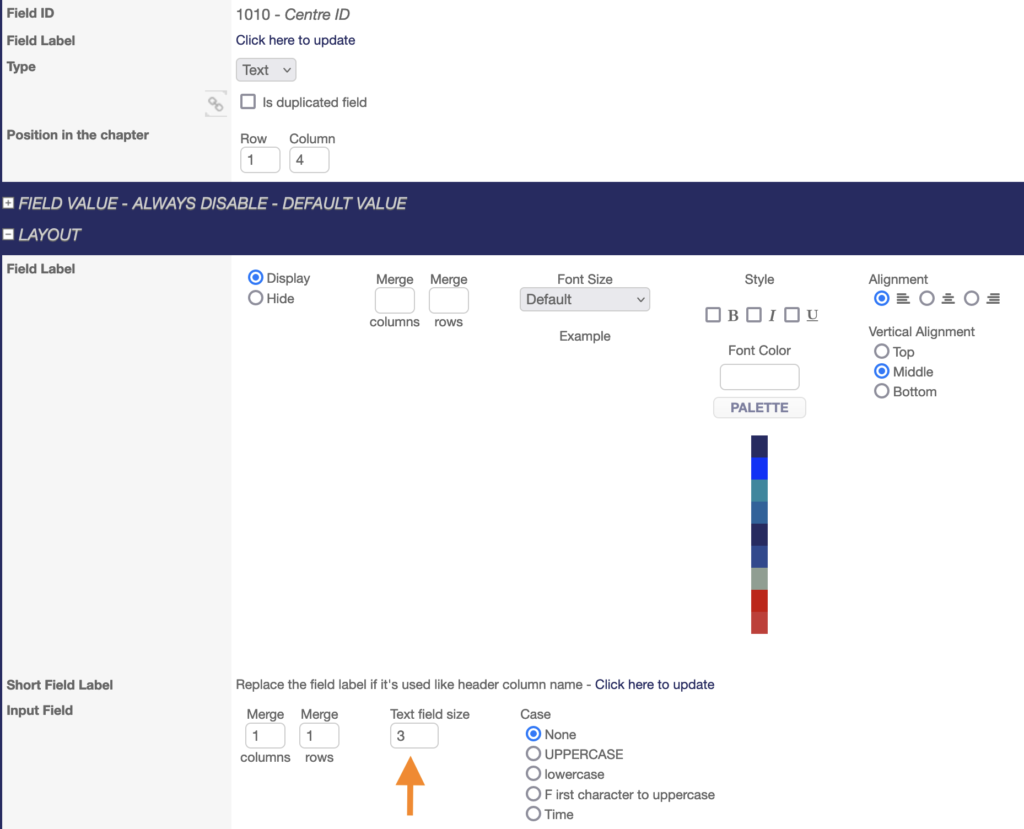
In the same chapter and line as the Patient ID field, add a text field entitled « Centre ID » at position 1.1 with its SAS VAR NAME. It will contain the centre ID where the patients will be followed. This ID is defined when the centre is created in the eCRF. See Admin Management – Geographical area. As the centre ID is defined in 3 digits (XXX), the field size must be 3.
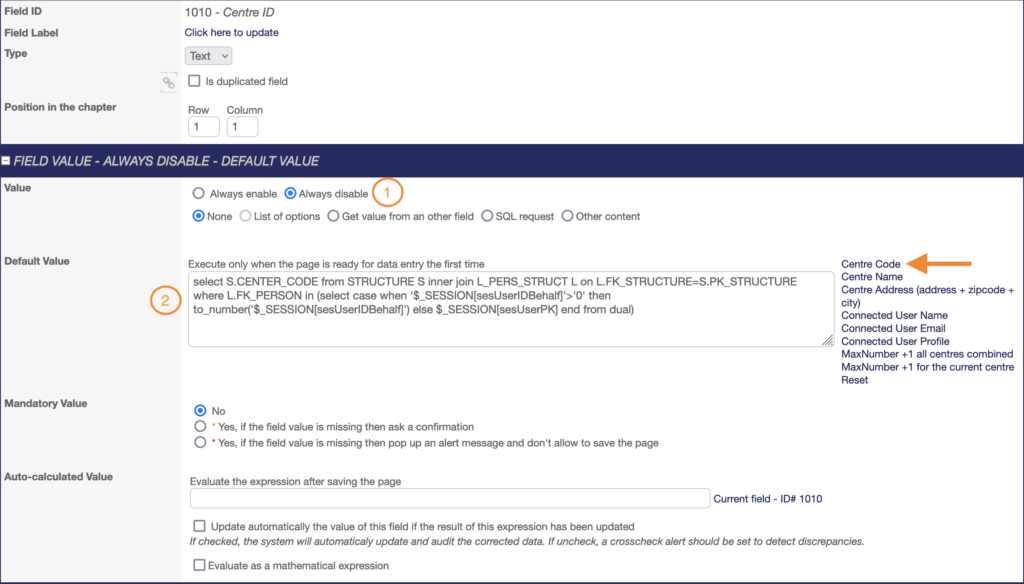
This field must be configured as ALWAYS DISABLED (1). The DEFAULT VALUE box must contain the expression below related to the Centre Code. To add it, click on “Centre Code” to the right of the box (2).
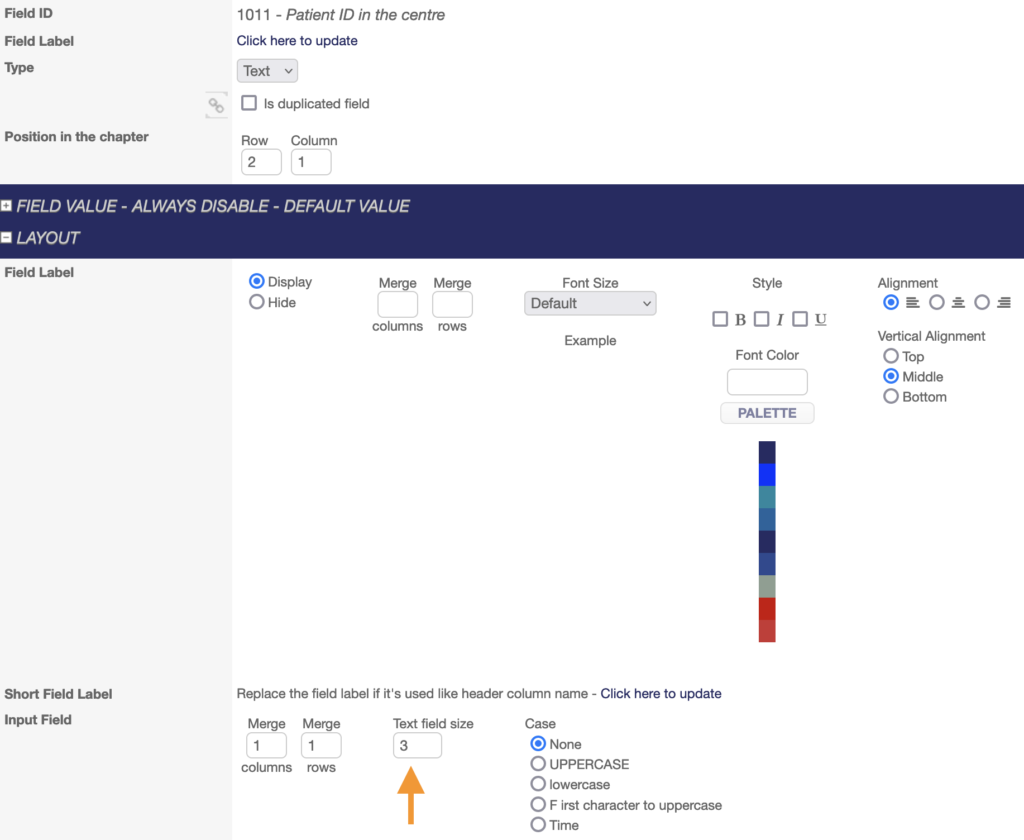
In the same chapter and on the same line as the Centre ID and the Patient ID fields, add a Text field entitled “Patient ID in the centre” at position 1.2 with its SAS VAR NAME. It will contain the incremental number of patients included in the eCRF for that centre. This ID will be automatically generated by the system. As the incremental number in our example is YYY, the field size must be 3.
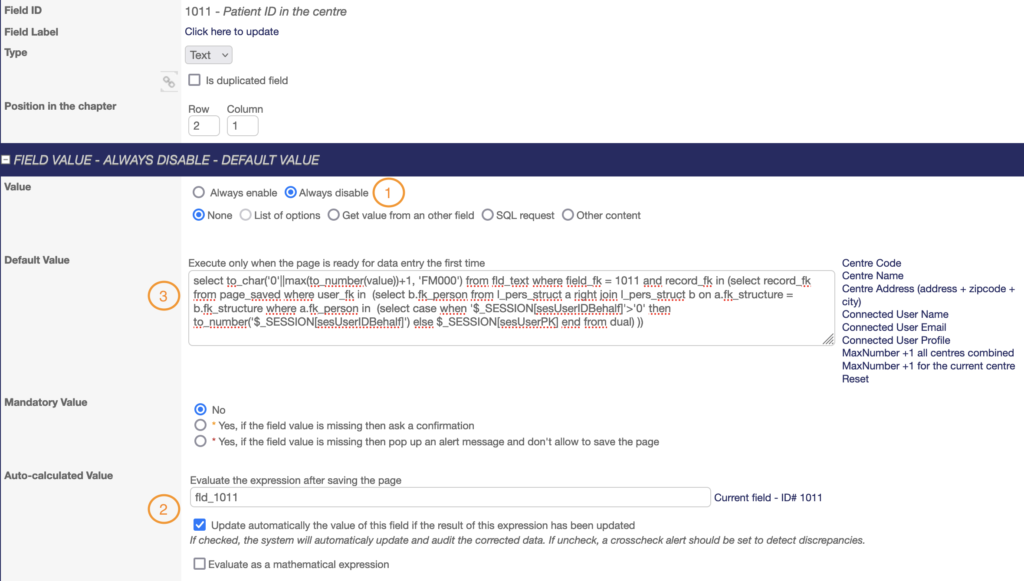
This field must be configured as ALWAYS DISABLED (1) and AUTO-CALCULATED (2). The DEFAULT VALUE box must contain this expression (3):
The red zeros in the expression are used to define the number of digits in this ID. Here, 3 digits are required, so there are 3 zeros. Zeros can be added or deleted as required. The blue Bs in the expression must be replaced by the “Patient ID in the centre” field ID.
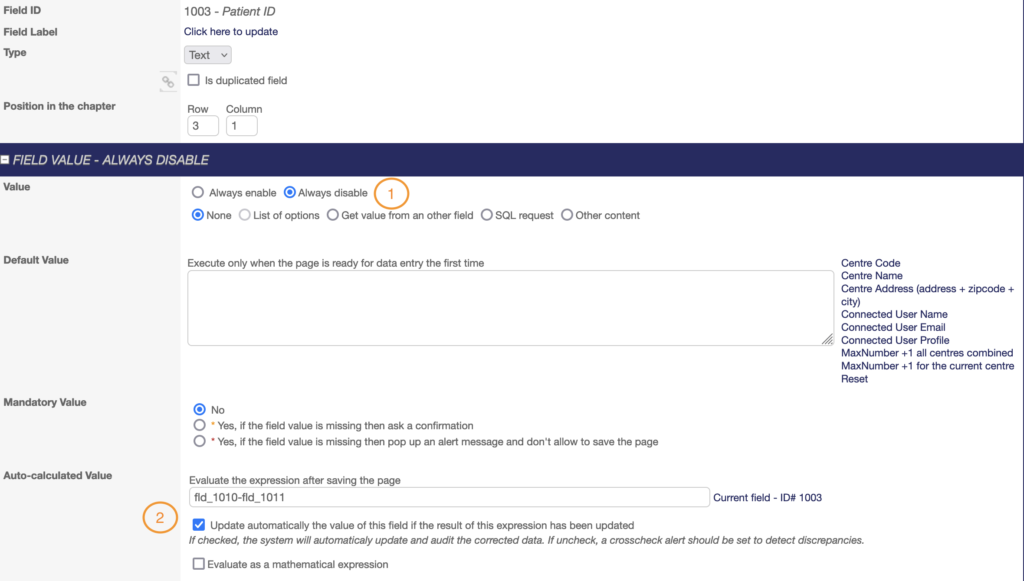
Once the additional text fields have been added, the Patient ID field can be configured. As the format in our example is XXX-YYY, the field size must be 7 (3 digits for the centre ID, 1 digit for the dash/hyphen, 3 digits for the increment number).
This field must be configured as ALWAYS DISABLED (1) and AUTO-CALCULATED (2). The AUTO-CALCULATED box must contain:
The field ID AAAA of the Centre ID–The field ID BBBB of the Increment number, giving fld_AAAA-fld_BBBB.
AAAA and BBBB in this example must be replaced by the actual field IDs.
All that remains to be done is to test and validate the correct generation of the patient ID in the front office by saving the page.